Create the event
Set the scene in seconds and invite the people who matter most.
From family trips and birthday dinners to late-night celebrations and everyday laughs, Snap-Cast turns real life into a shared story your people can revisit again and again.
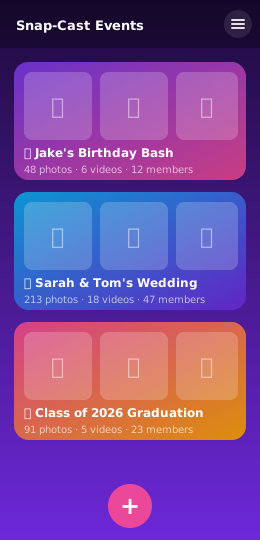
Snap-Cast helps families, friends, and event groups build a living memory timeline—one photo, one video, one moment at a time.
Each event becomes a chapter in the story — organized, visible, and easy to revisit with the people who lived it.
Create one private space for family, friends, and guests to contribute memories without losing the thread of the moment.
Photos and videos keep flowing into the story — even when the moment ends and the next chapter begins.
Clean, calm, and human-centered design keeps the focus on the memory instead of the technology.
Life happens in chapters. Snap-Cast keeps each chapter connected so the people who were there can laugh, relive, and revisit it together.
Set the scene in seconds and invite the people who matter most.
Friends and family join with a simple QR scan or access code.
Photos and videos flow into a single, shared timeline in real time.
Revisit the whole experience together long after the celebration ends.
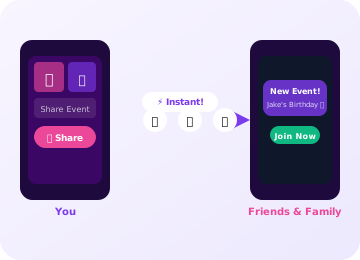
Create a Snap-Cast event in seconds and share it with anyone via a unique shareable link, QR code, or short access code. No more sending dozens of photos one-by-one through messaging apps. Everyone gets a real-time shared gallery.
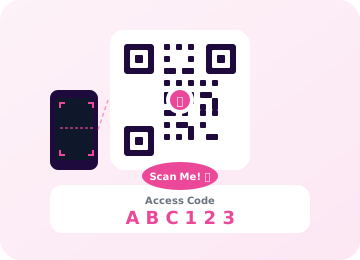
At a party or wedding? Just point your phone at the host's QR code and you're instantly part of the event's photo stream — no typing, no waiting. Perfect for in-person events where every second counts.
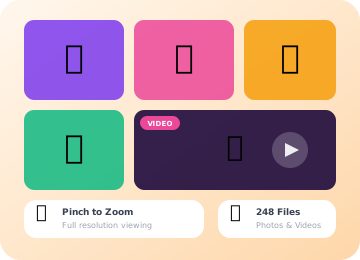
Snap photos or record videos and have them all beautifully organized in your event gallery. Pinch-to-zoom on photos, play videos inline — everything right inside the app with zero extra downloads needed.
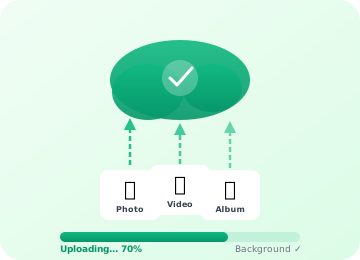
Keep snapping while your media uploads quietly in the background. Our smart queue ensures every photo and video makes it to the cloud — even on spotty connections, with auto-retry on failure.
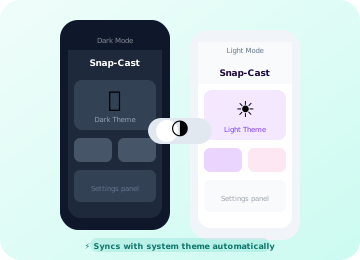
Easy on the eyes day or night. Beautiful light and dark themes with automatic system theme sync — so your gallery always looks exactly the way you prefer it.
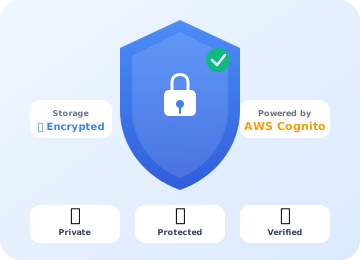
Your memories are private by default. Snap-Cast uses authenticated and encrypted cloud storage. Every photo and video is protected with encryption in transit and at rest, and only the people you invite can ever see them.
Some questions about Snap-Cast come up frequently. We've answered the most popular ones below. Can't find your answer? Drop us a message!
Snap-Cast is completely free to download from the Google Play Store.
Once you create an event you'll get a unique shareable link, a QR code, and a short access code. Text the link, share it on social media, or let guests scan the QR code right from your screen. Anyone you share it with can join instantly and start contributing photos and videos.
Only the people you invite! Snap-Cast events are private by default. Access is controlled by your unique event link or access code — only guests you share it with can view or contribute media. All content is stored securely using authenticated sessions with encryption in transit and at rest.
No worries — Snap-Cast has your back! Our intelligent background upload queue keeps track of every photo and video. If your connection drops, the app automatically retries the moment you're back online. Progress indicators let you know exactly what's been uploaded and what's still in the queue.
Guests simply need to download the app and either scan a QR Code that you provide or enter the event code manually to join.
Snap-Cast is currently available on Android devices running Android 10.0 (Q) or later. iOS support is on our roadmap — stay tuned for announcements! You can download the app directly from the Google Play Store at no cost.
To delete your host account, go to the account settings within the Snap-Cast app and select "Delete My Account." Please note that this action is irreversible and will remove all your data from our servers once you confirm the deletion. You will need to sign-up for a new account if you wish to use Snap-Cast again.
To delete your guest access to an event, tap on the "Settings" icon to go to the account settings for the event and select "Remove Access To Event". This will remove your guest access to the event and all cached event media from your device. If you want to retain any media, be sure to save it to your device before removing access. To stop sharing the media you have uploaded for the event, you will need to manually delete it from the event before removing your access. Please note that this action is irreversible. You will need to re-join as a guest if you wish to continue accessing the event.
To delete photos and videos that you have uploaded, tap and hold on the respective photo or video to bring up the actions menu and tap on the "Delete" icon. Please note that this action is irreversible and will remove the selected content from our servers. The deleted images and videos will also become unavailable to other users. To make a backup of your photos and videos before deletion, be sure to save them to your device by tapping the "Download" icon.
Our support team is ready to help. Get in touch and we'll respond within 24 hours.